Solo creator
A long spoken recording contains several usable clips, but locating the right sentences on a timeline takes time.
Use the transcript to identify candidate passages, then watch each cut for timing and continuity.
vrew tutorialVideo editing explained
What is Vrew? It is a video editor that lets people work with spoken footage through a transcript, making the words in a recording a practical starting point for edits and captions. It does not replace the need to watch and check the finished video.

The basic idea is to make speech easier to find and edit. These related guides address the questions that usually come after the definition.
Vrew is most relevant when a recording contains speech and finding the right passage matters more than arranging every frame by hand.
A long spoken recording contains several usable clips, but locating the right sentences on a timeline takes time.
Use the transcript to identify candidate passages, then watch each cut for timing and continuity.
vrew tutorialA lesson needs readable on-screen text so viewers can follow the explanation.
Treat generated captions as a draft and correct names, terminology, punctuation, and timing against the lesson audio.
ai video subtitleAn interview includes sensitive information alongside quotable answers.
Decide what can be uploaded before editing, and review the footage for accidental disclosures before sharing it.
is vrew ai safeA product explanation needs a shorter cut with a clear message.
Find the relevant lines in the transcript, then assess whether the visual sequence still supports the spoken claim.
vrew alternativesThink of transcript editing as a way to locate decisions, not as a guarantee that every suggested edit will sound natural.
Start with a recording whose dialogue or narration you want to shorten, caption, or organize. Clear speech gives you a more useful text reference.
Read the transcript to find a passage, remove an unwanted stretch, or prepare captions. Keep the audio and picture in view when deciding where a cut belongs.
Play the edited video from beginning to end. Correct misheard words, abrupt transitions, caption timing, and visuals that no longer match the narration.
A transcript-centered video editor changes how you locate spoken material. It does not make every editorial decision for you.
Finding a spoken line
Transcript-centered editing
Read and search the words associated with the recording.
Conventional timeline editing
Scrub or listen through clips to locate the line.
Removing speech
Transcript-centered editing
Use the text to identify the passage, then check the resulting cut.
Conventional timeline editing
Select a time range and trim the audio and picture.
Drafting captions
Transcript-centered editing
Start from recognized speech and review the text against the audio.
Conventional timeline editing
Type captions or bring in a separate transcript.
Visual precision
Transcript-centered editing
Still requires playback and inspection of shot boundaries.
Conventional timeline editing
Gives direct control over the placement of clips and transitions.
Recording quality
Transcript-centered editing
Unclear speech can lead to words that need correction.
Conventional timeline editing
Poor audio remains poor audio, even if its timing is precise.
Final judgment
Transcript-centered editing
A person must confirm meaning, pacing, and caption accuracy.
Conventional timeline editing
A person must confirm meaning, pacing, and visual continuity.
These illustrations show two ways to approach the same spoken material, not a guaranteed before-and-after result from a particular upload.
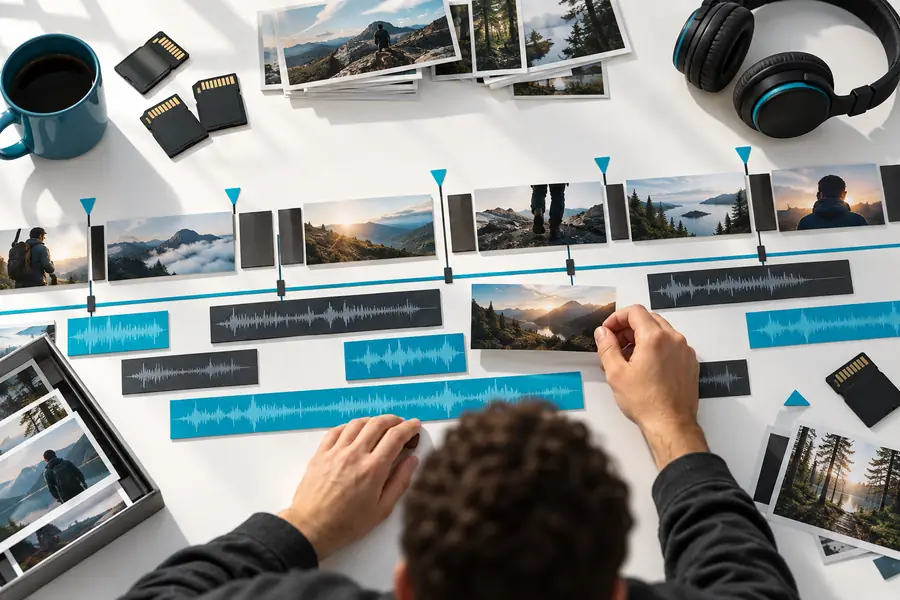 Find the moment on a timeline
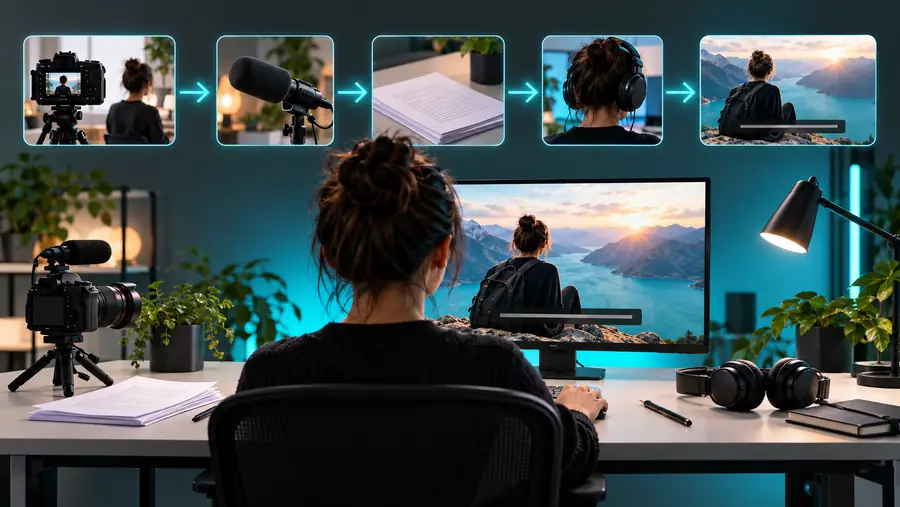 Find the moment in the text
Vrew can suit people working with spoken videos, but the value of a text-led workflow depends on the recording and the edit.
Names, accents, background noise, and overlapping voices can make a transcript unreliable.
Workaround
Compare important lines and every published caption with the original audio.
A sentence may read smoothly while the picture jumps or an on-screen action is interrupted.
Workaround
Watch across each edit instead of approving it from the text alone.
A useful clip can still contain private details, unsupported claims, or a quotation missing context.
Workaround
Review the source recording and the finished video before publication.
If editing spoken footage is your goal, start by choosing a short recording and a specific passage to improve. Explore the linked video creation destination, check what it actually supports, and review any result before you share it.
Explore video creationVrew is a video editor associated with editing spoken footage through text. A transcript can make dialogue easier to locate, while the underlying video still needs to be watched and reviewed.
It means using the words spoken in a recording as a way to navigate or plan edits. The text is a working reference, not a substitute for checking how the audio and images play together.
It is best understood as a video editor with a transcript-centered workflow. Transcribed speech helps you find and work with dialogue, but the intended result is an edited video rather than just a document.
Narrated lessons, interviews, and talking-head recordings are natural candidates because their spoken words provide a useful editing reference. Footage driven mainly by music, action, or visual timing may need more direct attention to the timeline.